
Mobile app
1xBet Malaysia iOS App: Download for iPhone and iPad
This guide explains how to get the 1xBet app on an iPhone or iPad in Malaysia. It covers the download, what to do if the app is not available in your App Store region, and how the mobile site works as an alternative.
- iPhone and iPad
- App Store or mobile site
- Live betting and cash out
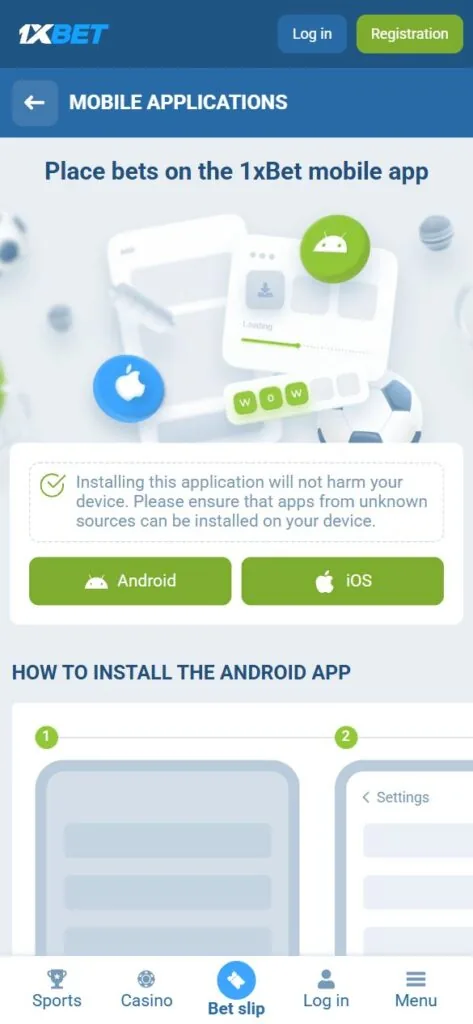
Get it in 4 taps
- Open 1xBet in Safari
- Go to “Mobile applications”
- Select iOS
- Install from the App Store
Not in your App Store region? Use the mobile site.
On this page
- 1xBet iOS App at a Glance
- iOS Requirements
- How to Download the 1xBet App on iPhone
- If the App Is Not in Your App Store Region
- Add the Mobile Site to Your Home Screen
- iOS App vs Mobile Site
- What You Can Do in the 1xBet iOS App
- Payments in the iOS App
- Login and Registration on iOS
- Fixing Common iOS Problems
- 1xBet iOS App FAQ
1xBet iOS App at a Glance
| Detail | Value |
|---|---|
| Devices | iPhone and iPad |
| Where to get it | Link in the “Mobile applications” section of the official 1xBet site |
| App Store | Availability depends on your Apple ID region |
| Price | Free |
| Account | The same account as on the website and Android |
| Alternative | Mobile site in Safari, with a Home Screen shortcut |
The iOS app and the website share one account. Your balance, bets, bonuses and verification status are the same on every device.
iOS Requirements
| Requirement | Detail |
|---|---|
| Devices | iPhone and iPad |
| iOS version | Shown on the App Store page; keep iOS up to date |
| Apple ID region | The app must be listed in your App Store region |
| Free space | Check the size on the App Store page before you install |
| Connection | Stable 4G, 5G or Wi-Fi for live betting and streams |
| Alternative | The mobile site in Safari works on any iOS version |
How to Download the 1xBet App on iPhone
- Open Safari on your iPhone and go to the official 1xBet site through the button on this page.
- Scroll to the bottom and open “Mobile applications”.
- Select iOS.
- Follow the link to the App Store page, if one is offered for your region.
- Tap “Get” and confirm with Face ID, Touch ID or your Apple ID password.
- Open the app and log in, or register a new account.
The download goes through Apple’s own store, so iOS checks the app before it installs. You do not need to change any security settings, unlike the Android APK.
If the App Is Not in Your App Store Region
App Store listings depend on the country of your Apple ID. If the 1xBet page does not open or the app is missing, you have two options:
- Use the mobile site. It has the same markets, bonuses and cashier and needs no install.
- Ask support. Live chat can tell you which app version is offered for Malaysian accounts.
Important: do not install “1xBet” apps from unknown developers or download profiles from third-party sites. Use only the links on the official 1xBet website.
Add the Mobile Site to Your Home Screen
A Home Screen shortcut makes the mobile site open like an app:
- Open the 1xBet mobile site in Safari.
- Tap the Share icon at the bottom of the screen.
- Choose “Add to Home Screen”.
- Name the shortcut and tap “Add”.
The icon opens the site in full screen. You stay logged in until you sign out, and updates arrive automatically because the site always loads the latest version.
iOS App vs Mobile Site
| Feature | iOS app | Mobile site in Safari |
|---|---|---|
| Install | From the App Store, where available | Not needed |
| Speed | Faster screen changes | Depends on the connection |
| Notifications | Push alerts for bets and promos | No push alerts |
| Updates | Through the App Store | Automatic |
| Storage | Takes space on the phone | Almost none |
| Cashier and bonuses | Full, in MYR | Full, in MYR |
Choose the app if it is available for your region and you bet often. The mobile site is the simplest option for occasional bets or a phone with little free storage. More on the browser version is on our mobile version page.
What You Can Do in the 1xBet iOS App
- Bet on football, badminton, esports and other sports, before and during matches.
- Follow live matches with statistics and, for selected events, live streams.
- Use cash out to settle a bet early.
- Play slots, live casino tables and instant games.
- Deposit and withdraw in MYR, including crypto.
- Chat with support.
Your welcome bonus and the promo code work in the app the same way as on the website.

Payments in the iOS App
The app uses the same cashier as the website. Deposits and withdrawals run in MYR with Touch ‘n Go, GrabPay, DuitNow QR or online banking; deposits start at MYR 5, and the cashier shows the minimum, fee and processing time for each method. Crypto payments in USDT, BTC, ETH and LTC are also available, and 1xBet charges no fee for crypto deposits.
Withdrawals need a verified account. Upload your ID from the app’s profile section before your first payout request. Methods, limits and verification are covered on our payments page.
Login and Registration on iOS
Log in with the same phone number, email or account ID you use on the website. If you are new, tap “Registration”, choose MYR as the currency and enter the promo code before you confirm. Step-by-step instructions are in our registration guide and login guide.
Turn on Face ID or a passcode lock for your iPhone. Anyone who can open your phone can also open a logged-in app.
Fixing Common iOS Problems
| Problem | What to do |
|---|---|
| App not found in the App Store | Use the mobile site or ask live chat which version is offered |
| App does not open after an iOS update | Update the app; if that fails, delete and reinstall it |
| Login code does not arrive | Wait a few minutes, check spam, then request a new code |
| Video stream stutters | Switch to Wi-Fi or a stronger mobile signal |
| Low storage warning | Use the Home Screen shortcut instead of the app |
1xBet iOS App FAQ
18+ only. Gambling involves financial risk and can be addictive. Bet responsibly and only with money you can afford to lose.